
Disclosure: Some links in this post are affiliate links. BranchNova may earn a commission at no extra cost to you.
Building a Multi-Agent Workflow System Without Coding has become one of the most practical ways for businesses to scale AI without increasing complexity. Businesses often begin their AI journey with a single chatbot or assistant. At first, it feels transformative. One tool can answer questions, draft emails, summarize meetings, and generate content in minutes.
As your business grows, however, that single assistant becomes responsible for too many different tasks. It has to remember more context, switch between unrelated responsibilities, and make decisions that require different types of expertise. The result is inconsistent output, slower workflows, and more manual corrections.
Instead of asking one AI to do everything, many successful businesses now organize AI into multi-agent workflows—systems where several specialized AI agents each perform a specific role within a larger process.
The good news is that building these systems no longer requires software developers or custom code. With modern no-code platforms and thoughtful workflow design, small businesses, agencies, and solo entrepreneurs can create reliable AI systems that scale alongside their operations.
Build Your AI Toolkit First
Before designing your workflow, make sure you’re using the right tools for the job. The platforms you choose can have a major impact on how easily your AI systems scale over time.
Download BranchNova’s free Top 10 Tools for AI Productivity to discover the AI and automation tools we recommend for building smarter workflows, improving team productivity, and growing your business with confidence.
What Is a Multi-Agent Workflow?
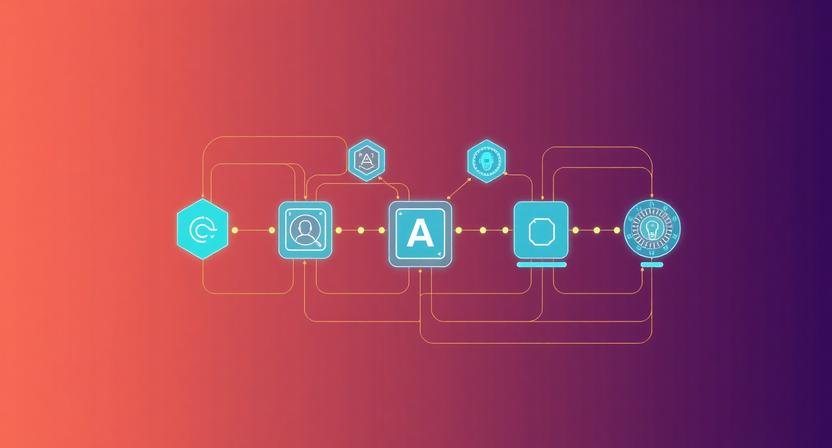
A multi-agent workflow is a business process where multiple AI agents collaborate to complete a larger task.
Rather than relying on one general-purpose assistant, each agent specializes in a single responsibility.
For example, a content marketing workflow might look like this:
- Research Agent gathers market information.
- Planning Agent creates an article outline.
- Writing Agent drafts the content.
- Review Agent checks clarity and accuracy.
- Publishing Agent prepares the final asset.
- Knowledge Agent stores reusable insights for future projects.
Each agent only performs one job exceptionally well before handing its work to the next step.
This approach mirrors how effective business teams operate. Instead of one employee handling sales, marketing, finance, and customer support simultaneously, responsibilities are divided among specialists.
This approach aligns with how modern AI agent systems are designed, and OpenAI provides additional guidance on building agent-based workflows and managing multi-step tasks.
Why Businesses Are Moving Toward Multi-Agent Systems
Multi-agent workflows improve more than productivity. They improve consistency.
Consider a small digital marketing agency managing twelve clients.
If one AI assistant handles research, writing, editing, reporting, and client communication, prompts quickly become long and difficult to manage. Small mistakes compound throughout the workflow.
A multi-agent system separates these responsibilities.
One agent researches competitors.
Another writes the first draft.
A third reviews the content against brand guidelines.
A final agent prepares the deliverable for the client.
The process becomes easier to monitor because each stage has a clear objective.
What most tutorials fail to mention: adding more AI agents does not automatically produce better results. Complexity should only increase when it solves a real operational problem. For many businesses, three well-designed agents outperform ten poorly organized ones.
Step 1: Map the Business Process Before Choosing Tools
Many businesses start by exploring AI platforms before understanding the workflow they want to automate.
This usually creates unnecessary complexity.
Instead, begin by documenting the existing process.
Ask yourself:
- Where does work begin?
- What decisions need to be made?
- What information moves between each step?
- Where does human review add the most value?
Imagine a lead generation process:
Lead submits contact form
↓
Qualification
↓
Research
↓
Proposal creation
↓
Internal review
↓
Client delivery
Only after understanding this flow should you decide where AI fits naturally.
Automation works best when it improves an existing process—not when it replaces planning altogether.
Step 2: Give Every Agent One Responsibility
One of the biggest mistakes in AI implementation is assigning too many responsibilities to a single agent.
Instead, define clear roles.
| Agent | Primary Responsibility |
|---|---|
| Research Agent | Collect information |
| Planning Agent | Organize ideas |
| Writing Agent | Generate first draft |
| Review Agent | Check quality and consistency |
| Documentation Agent | Store reusable knowledge |
| Notification Agent | Alert team members or clients |
This separation makes workflows easier to improve over time.
If your writing quality declines, you know the Writing Agent needs refinement—not the entire system.
Step 3: Control What Each Agent Can Access
Not every AI agent needs access to every document.
Providing unnecessary information increases costs, slows responses, and can reduce output quality.
For example:
A proposal-writing agent doesn’t need access to customer support conversations.
A scheduling agent doesn’t need your complete marketing strategy.
Providing only the information required for each task helps every agent stay focused while reducing unnecessary processing.
Think of each AI agent like a specialist on your team. They should receive the information necessary to complete their work—not every file your company owns.
Step 4: Connect Everything with No-Code Automation
Once each agent has a defined responsibility, the next step is connecting them into one continuous workflow.
Instead of manually copying information between AI tools, use automation platforms to pass work from one stage to the next.
For example, your workflow might look like this:
Customer inquiry
↓
Research Agent
↓
Proposal Agent
↓
Review Agent
↓
Project creation
↓
Client notification
At this stage, having a central workspace becomes valuable. ClickUp can serve as the operational hub where AI-generated tasks move through review stages, assignments, approvals, and project tracking. Rather than managing each AI output separately, your team can monitor the entire workflow from one location.
The goal isn’t simply automation—it’s creating a system that’s transparent, repeatable, and easy to manage.
Step 5: Build Human Review into Important Decisions
AI should accelerate decisions, not replace business judgment.
High-impact actions still deserve human oversight.
Examples include:
- Sending legal agreements
- Publishing client deliverables
- Approving financial reports
- Responding to sensitive customer situations
Adding a review checkpoint prevents small AI mistakes from becoming expensive business problems.
As your confidence in the workflow grows, you can gradually reduce manual intervention where appropriate.
Example: A No-Code Multi-Agent Client Onboarding Workflow
Imagine a web design agency onboarding a new client.
The workflow could operate like this:
- A visitor completes an inquiry form using Landbot, which collects project requirements through a conversational interface instead of a static form.
- A Research Agent analyzes the client’s industry and competitors.
- A Planning Agent generates a recommended project roadmap.
- A Proposal Agent prepares a draft proposal.
- A Review Agent checks formatting and pricing consistency.
- ClickUp automatically creates a new project after approval.
- The client receives confirmation while the internal team is notified to begin work.
Notice that no single AI agent performs every task.
Each one contributes to a larger business system.
Common Mistakes When Building Multi-Agent Workflows
Starting with technology instead of process
Businesses often purchase tools before understanding what they actually want to automate.
Always design the workflow first.
Creating too many agents
More agents mean more maintenance.
Only create additional agents when they solve a specific operational problem.
Skipping documentation
Every workflow should include clear documentation explaining what each agent does, what information it receives, and when humans intervene.
This makes future improvements significantly easier.
Expecting perfection immediately
Even well-designed workflows require testing.
Monitor where information gets lost, where prompts create inconsistent results, and where unnecessary manual work still exists.
Continuous improvement is part of building reliable AI systems.
When a Multi-Agent Workflow Isn’t Necessary
Despite the growing popularity of AI agents, they are not always the right solution.
A single AI assistant may be enough if:
- Your workflow only contains one or two repetitive tasks.
- You’re the only person involved in the process.
- Manual work takes just a few minutes.
- The workflow rarely changes.
Adding complexity too early often creates more work than it eliminates.
Start simple. Expand only when the business process demands it.
BranchNova Summary
Multi-agent workflows are less about using more AI and more about organizing work intelligently.
Instead of relying on one assistant to manage every responsibility, divide complex processes into specialized roles that collaborate toward a shared outcome. By mapping your workflow first, assigning each agent a clear purpose, limiting unnecessary context, and connecting everything through no-code automation, you can build systems that are easier to scale, maintain, and improve over time.
The businesses seeing the greatest long-term value from AI aren’t chasing the newest tools—they’re designing workflows that remain reliable as their teams and operations grow.
Discover More Insights
About the Founder
Learn more about our founder, Esa Wroth, and his mission to make AI practical, human-centered, and accessible for entrepreneurs, creators, and professionals.