
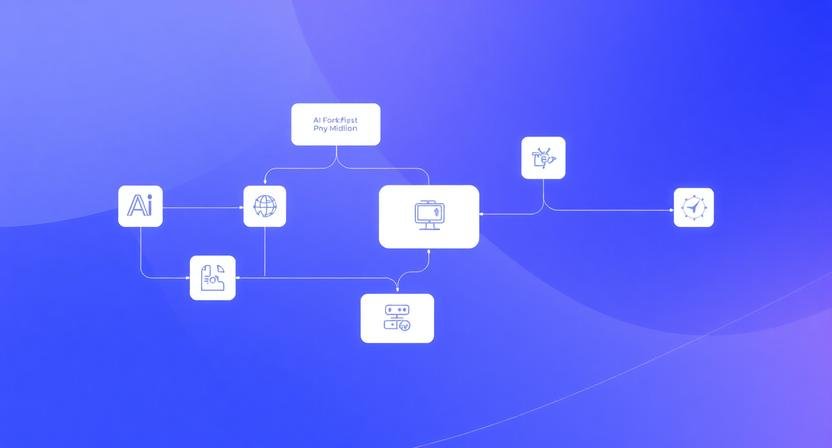
Managing multiple AI tools is where most entrepreneurs run into problems — not because they lack tools, but because they have too many disconnected ones.
A founder might use one tool for writing, another for images, a third for automation, and a fourth for analytics. Individually, each works. Together, they create friction: duplicated effort, lost context, and inconsistent outputs.
The real problem isn’t tool overload.
It’s lack of a system.
This guide shows how to manage multiple AI tools in a way that actually reduces workload instead of increasing it — based on what works in real workflows, not idealized setups.
Why AI Tool Stacks Break in Practice
Most tutorials assume tools integrate cleanly. In reality, they don’t.
Here’s what typically goes wrong:
- Prompts live in scattered documents
- Outputs don’t transfer cleanly between tools
- Teams use different tools for the same task
- No standard workflow → inconsistent results
Real Scenario (3–5 Person Marketing Team)
A small agency runs:
- One AI for blog writing
- One for social posts
- One for image generation
- One for scheduling
Result:
- 2–3 hours lost daily switching tools
- Rewriting the same inputs multiple times
- Inconsistent tone across content
What most guides miss:
The cost isn’t the tools — it’s context switching and duplication.
The Core Principle: One Workflow, Multiple Tools
Instead of asking:
“What tools should I use?”
Ask:
“What is the single workflow these tools support?”
This shift changes everything.
Bad Setup (Common)
- Tool A → generates blog
- Tool B → rewrites blog
- Tool C → extracts social posts
Each tool operates independently.
Effective Setup (System-Based)
- Central input → feeds all tools
- Defined steps → each tool has a role
- Output standard → consistent format across platforms
The BranchNova AI Stack Framework (Practical System)
This framework works for:
- Solo founders
- Small teams (3–10 people)
- Content-driven businesses
Step 1: Define Your “Source of Truth”
Pick one place where everything starts.
Options:
- A document (Notion, Google Docs)
- A structured prompt template
- A content brief system
Example:
A founder creates a single “content brief” including:
- Topic
- Audience
- Key points
- Tone
This brief feeds every AI tool.
Why this works:
You eliminate rethinking the same input multiple times.
Step 2: Assign Each Tool a Single Job
Most people overload tools. Don’t.
Each tool should do one thing only.
Example Stack:
- Tool 1 → Long-form content generation
- Tool 2 → Content repurposing
- Tool 3 → Visual creation
- Tool 4 → Scheduling
What breaks if you ignore this:
You’ll end up rewriting outputs constantly because tools overlap.
Step 3: Create a Fixed Output Format
AI tools produce inconsistent outputs unless you constrain them.
Define:
- Structure (headings, bullet points)
- Tone (formal, conversational, direct)
- Length limits
Micro-Case (Solo Creator):
Without structure:
- Social posts vary wildly
- Messaging feels inconsistent
With structure:
- Every output follows the same format
- Content becomes predictable and scalable
Step 4: Build a “Flow Sequence” (Not Tool List)
This is where most setups fail.
Instead of listing tools, define the order of operations:
- Input → Content Brief
- Generation → Long-form AI
- Extraction → Repurposing AI
- Enhancement → Visual AI
- Distribution → Scheduler
Why this matters:
Order removes decision fatigue.
Step 5: Automate Only After Stability
Most people automate too early.
What actually happens:
- Broken workflows get automated
- Errors scale faster
- Fixing becomes harder
Correct approach:
- Run workflow manually
- Identify friction points
- Then automate selectively
What Most Tutorials Don’t Tell You
1. More Tools ≠ Better Results
Adding tools increases:
- Complexity
- Maintenance
- Learning curve
In many cases, fewer tools with clear roles outperform larger stacks.
2. Context Loss Is the Real Bottleneck
When switching tools:
- Prompts get rewritten
- Intent gets diluted
- Outputs degrade
Fix: Centralized input system (Step 1).
3. Teams Break Systems Faster Than Individuals
In a team:
- People default to their preferred tools
- Processes drift
- Outputs become inconsistent
Solution:
- Standardize workflows, not tools
- Document the sequence, not the software
When This System Doesn’t Work
This approach struggles when:
- You rely heavily on real-time data tools (analytics-heavy workflows)
- Your workflow changes daily (early experimentation phase)
- You haven’t defined clear content goals yet
In these cases, focus on clarity before optimization.
Simple Takeaway (If You Do Nothing Else)
If your AI setup feels chaotic:
Stop adding tools. Create one repeatable workflow first.
Everything else builds from that.
Build Your AI Stack the Right Way
If you’re trying to manage multiple AI tools, the difference isn’t which tools you pick — it’s how they fit into your workflow.
To make this easier, here’s a curated breakdown of the tools that actually work in real business setups:
👉 Top 10 Tools for AI Productivity
BranchNova Summary
Managing multiple AI tools isn’t about finding the perfect stack — it’s about eliminating friction between them.
When you:
- Centralize your inputs
- Assign clear roles to each tool
- Define a fixed workflow sequence
You turn scattered tools into a scalable system.
Most businesses don’t need more AI.
They need better orchestration.
Action Steps
- Create a single “source of truth” for all AI inputs
- List your current tools and assign each one clear responsibility
- Define a step-by-step workflow sequence
- Standardize output formats across tools
- Run manually before automating anything
Discover More Insights
About the Founder
Learn more about our founder, Esa Wroth, and his mission to make AI practical, human-centered, and accessible for entrepreneurs, creators, and professionals.