
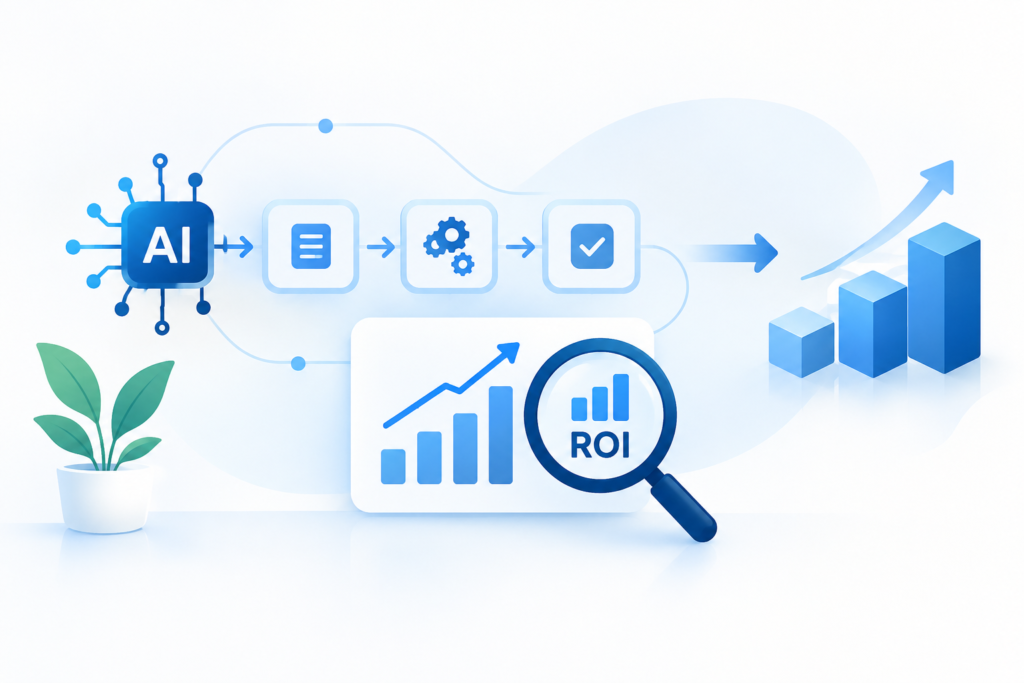
An AI workflow can save time and still be a bad investment.
That sounds contradictory, but it happens often. A team automates a repetitive task, removes a few manual steps, and sees immediate time savings. The workflow feels successful. Then the business discovers that employees still have to review most outputs, exceptions take longer to resolve, software costs have increased, or the process simply was not important enough to justify the implementation effort.
That is why how to measure AI workflow ROI before scaling it matters.
The goal is not to prove that AI is valuable. The goal is to determine whether a particular workflow produces enough measurable business value to justify expanding it.
For a small business or 3–10 person team, that distinction is important. You rarely have unlimited implementation time. A workflow that saves an hour a week may be useful, but it should not automatically receive the same investment as one that removes a recurring bottleneck affecting sales, customer service, or delivery.
Start With the Existing Workflow, Not the AI Tool
The easiest way to produce misleading ROI numbers is to measure the new AI workflow without establishing what existed before it.
Before changing anything, record the current process.
For example, imagine a small agency has a weekly client-reporting process:
- An employee collects data from several sources.
- The data is cleaned and organized.
- A draft report is written.
- A manager reviews the report.
- The report is sent to the client.
The team estimates that the process takes four hours per client each month.
That four-hour baseline gives the business something to compare against.
After introducing AI, suppose the workflow takes 2.5 hours. The apparent saving is 1.5 hours per client.
That is useful information, but it is not yet ROI.
You also need to know whether the report quality stayed acceptable, whether review time changed, whether the AI system introduced new software costs, and whether someone still has to correct errors manually.
The baseline is the control point for the entire measurement exercise.
At BranchNova, this is one of the most important distinctions to make: measure the workflow you actually have, not the idealized workflow you hope AI will create.
Measure Five Things Before You Calculate ROI
A useful AI workflow measurement does not need to become a complicated financial model.
For most small businesses, five categories provide enough information to make a good initial decision.
1. Time Saved
Start with the easiest metric to observe.
Measure:
- Time spent completing the process before AI
- Time spent after AI
- Frequency of the process
- Number of people involved
Suppose a founder spends 90 minutes preparing a weekly sales summary.
After introducing an AI-assisted workflow, the process takes 45 minutes.
The workflow saves 45 minutes per week.
That sounds straightforward, but frequency matters.
A 45-minute saving once a month is very different from a 45-minute saving every business day.
Use:
Time saved per cycle × number of cycles = total time saved
If the workflow saves 45 minutes per day across 20 working days, that represents 15 hours per month.
That is a much more meaningful number for decision-making.
2. Labor Value
Time has a business value, but do not automatically treat every saved hour as cash that appears in the bank account.
This is where many AI ROI calculations become inflated.
If an employee saves five hours per month, the business does not necessarily save five hours of payroll.
The employee may simply use that time for another responsibility.
That can still be valuable.
For example, a customer-support employee who spends less time categorizing tickets might spend that recovered time responding to customers.
The benefit is therefore not necessarily labor cost eliminated. It may be productive capacity recovered.
A more realistic calculation is:
Recovered productive hours × reasonable hourly value = potential capacity value
Then ask what actually happens to those hours.
Do they:
- Reduce overtime?
- Allow more customers to be served?
- Increase sales activity?
- Reduce founder workload?
- Improve response times?
- Create capacity for higher-value work?
If none of these outcomes occurs, the time saving may be less valuable than the initial calculation suggests.
3. Quality and Error Costs
Speed is only useful when the result remains good enough for the job.
Consider a 3-person consulting business using AI to prepare draft client summaries.
Before automation, the process takes three hours.
After automation, it takes one hour.
The business saves two hours.
But if the AI-generated summaries introduce factual mistakes that require another employee to verify every claim, the actual saving may be much smaller.
Worse, a serious mistake could create a cost that is difficult to express in minutes.
That means ROI measurement should include quality.
Track:
- Number of outputs requiring correction
- Average correction time
- Frequency of significant errors
- Rework created by the AI workflow
- Customer-facing mistakes
- Escalations requiring human intervention
A workflow that saves 30% of production time but doubles rework is not necessarily an improvement.
A practical rule
Measure the completed workflow, not the AI-generated step.
The AI may finish its part in seconds. That does not mean the business process finishes in seconds.
4. Direct Costs
Next, identify what the workflow costs to operate.
This can include:
- AI subscriptions
- Automation platforms
- API usage
- Additional software
- Storage
- Human review
- Implementation time
- Maintenance
- Training
Implementation time deserves special attention.
Suppose a small business spends 12 hours building and testing an AI workflow.
The workflow later saves two hours per month.
That may be worthwhile, but the business should recognize the initial investment.
A simple payback calculation is:
Implementation cost ÷ monthly net benefit = approximate payback period
You do not need false precision.
If the workflow costs approximately $600 in implementation effort and recurring expenses and produces an estimated $200 of monthly net value, the business has a rough three-month payback period.
That is more useful than saying, “AI saves us time.”
5. Business Impact
Time savings are often only the first layer of AI workflow ROI.
The bigger question is whether the workflow changes an outcome that matters to the business.
Depending on the process, useful metrics could include:
- Leads processed
- Sales opportunities followed up
- Customer response time
- Orders handled
- Content produced
- Projects completed
- Cases resolved
- Revenue per employee
- Customer retention
- Error rates
Imagine an online service business uses AI to classify incoming inquiries.
The workflow saves only 20 minutes per day.
That may not sound impressive.
But if faster classification allows the team to respond to qualified leads within the same business hour instead of the next day, the workflow could have a much greater commercial effect than its time-saving figure suggests.
The important measurement is therefore not always:
“How many hours did AI save?”
It can be:
“What business constraint did the recovered capacity change?”
Use a Simple AI Workflow ROI Formula
Once the numbers are available, you can create a practical estimate.
A basic model is:
AI workflow ROI = (Annualized benefit − Annualized cost) ÷ Annualized cost × 100
The challenge is determining what belongs in “benefit.”
For a small business, start conservatively.
Potential benefits include:
- Verified labor savings
- Productive capacity recovered
- Reduced rework
- Reduced error-related costs
- Additional measurable revenue
- Reduced outsourcing costs
Potential costs include:
- AI software
- Automation software
- API or usage fees
- Human review
- Maintenance
- Training
- Implementation effort
Do not assign a dollar value to every theoretical benefit.
If an AI workflow “could eventually improve customer loyalty,” that is not the same as having evidence that retention improved.
Separate measured benefits from expected benefits.
That distinction keeps the calculation credible.
Measure the Workflow for a Realistic Trial Period
Do not decide whether an AI workflow works after one successful test.
A single successful output tells you very little about reliability.
Instead, establish a trial period or sample size appropriate to the workflow.
For a weekly process, several weeks may provide a more useful picture than one demonstration.
During the trial, track:
Swipe left to view the full table.
| Metric | Before AI | After AI | Difference |
|---|---|---|---|
| Processing time | Baseline | Actual | Time saved |
| Review time | Baseline | Actual | Change |
| Rework | Baseline | Actual | Change |
| Errors | Baseline | Actual | Change |
| Direct cost | Baseline | Actual | Change |
| Business outcome | Baseline | Actual | Change |
The purpose is not to create an impressive spreadsheet.
It is to expose whether the workflow performs consistently under normal operating conditions.
This matters especially for workflows with exceptions.
An AI process may perform extremely well on straightforward requests while struggling with unusual cases. If your test only includes routine examples, the ROI estimate will be optimistic.
Separate Pilot ROI From Scale ROI
A workflow can have positive pilot ROI and still be a poor candidate for broad deployment.
Suppose a company tests an AI-assisted reporting workflow with one employee.
The results look good.
Scaling it across five employees introduces:
- More software seats
- More training
- More support
- More inconsistent inputs
- More exceptions
- More governance requirements
The economics may change.
This is why the next question after calculating ROI should be:
What changes when the workflow is used at five times the current volume?
Look for costs that do not scale linearly.
For example, a workflow might require one hour of monthly maintenance at low volume but several hours once more people and data sources are involved.
Similarly, human review may become the bottleneck.
The AI component can scale while the human component cannot.
That is often where an apparently successful automation reaches its limit.
Create a Scale Decision, Not Just an ROI Number
ROI should support a decision.
A simple four-part decision model works well:
Scale
The workflow produces measurable value, quality remains acceptable, and the economics improve or remain stable at higher volume.
Invest in improving reliability and expanding usage.
Refine
The workflow has potential, but errors, exceptions, review time, or implementation friction reduce the benefit.
Fix the bottleneck before expanding it.
Contain
The workflow is useful in a narrow situation but becomes inefficient or risky beyond that boundary.
Keep it limited to clearly defined use cases.
Stop
The measured benefit is too small relative to cost, risk, or maintenance.
Do not keep an automation simply because the team already built it.
That last category is important.
An AI workflow is not an asset merely because it exists.
If it does not create enough value, shutting it down can be a successful outcome of the measurement process.
Watch for the Hidden Cost of Human Review
One of the most important numbers to track is often missing from AI workflow ROI calculations: review time.
Imagine an AI system processes 500 records per month.
The automation itself is inexpensive and fast.
However, an employee checks every record for accuracy.
If each review takes one minute, that creates more than eight hours of monthly review work.
The AI may still be worthwhile.
But the business needs to measure the complete human-plus-AI system.
Ask:
- What percentage requires review?
- How long does each review take?
- Which cases require deeper investigation?
- Can low-risk outputs skip review?
- Are reviewers becoming the new bottleneck?
This is where workflow design and ROI measurement meet.
Sometimes the right improvement is not a better AI model. It is a better escalation rule.
Do Not Scale a Workflow Just Because the ROI Looks Good
There is a subtle trap in AI implementation: once a workflow produces a positive result, teams often assume more automation is automatically better.
It is not.
A workflow might produce a strong return because it handles a narrow, high-volume task particularly well.
That does not mean the surrounding process should be automated.
For example, an agency might find that AI reliably creates first drafts of routine client reports. That could justify expanding AI-assisted drafting.
It does not automatically justify allowing AI to send those reports to clients without review.
The appropriate scale boundary depends on risk, quality requirements, and the cost of mistakes.
Scale the part of the workflow that has demonstrated value—not the entire workflow by default.
A Practical AI Workflow ROI Checklist
Before expanding an AI workflow, answer these questions:
- What did the process cost in time before AI?
- What does the complete process cost after AI?
- How much human review remains?
- Has error or rework changed?
- What direct software and implementation costs exist?
- What measurable business outcome changed?
- Which benefits are proven versus assumed?
- What happens when volume increases?
- Where do exceptions still require human intervention?
- What would make us stop or redesign the workflow?
If you cannot answer several of these questions, the workflow may not be ready to scale.
That does not mean the experiment failed.
It means you have found the information needed to improve the next version.
The Best AI ROI Metric May Be a Constraint
For small businesses, ROI does not always need to be expressed as a percentage.
Sometimes the most valuable discovery is identifying the constraint AI actually removes.
A founder may discover that administrative work consumes six hours every week.
A marketing team may discover that content production is not the bottleneck—approval is.
A sales team may discover that lead generation is sufficient, but follow-up happens too slowly.
In each case, AI has value only when it changes the constraint that limits the business.
That is why a smaller workflow with a direct effect on a critical bottleneck can be more valuable than a larger automation that produces impressive time savings but changes little operationally.
Measure the bottleneck, not just the automation.
Research on workplace AI supports the importance of measuring actual outcomes rather than assuming that automation automatically creates value. For example, a National Bureau of Economic Research study of more than 5,000 customer-support agents measured changes in productivity after AI assistance was introduced, illustrating why AI impact should be evaluated using real workflow outcomes rather than theoretical time savings.
What to Do Before Scaling Your Next AI Workflow
Choose one workflow that already exists in your business.
Do not start with the AI tool.
Write down:
- How often the process occurs
- Who performs it
- How long it takes
- Where errors occur
- How much review is required
- What the process ultimately affects
Then run the AI-assisted version for a realistic period and compare the complete workflow against the original.
If the numbers improve and quality holds, you have evidence for scaling.
If the numbers improve but review or exceptions remain expensive, refine the workflow.
If nothing meaningful changes, stop investing in it and test a different process.
That is a healthier approach to AI adoption than trying to automate everything that looks repetitive.
At BranchNova, the goal is not to make a business look more automated. It is to help businesses identify where AI creates measurable operational leverage—and where it does not.
Take the Next Step
Once you know which workflow is worth improving, the next step is choosing tools that can support it without adding unnecessary complexity.
Explore BranchNova’s Top 10 Tools for AI Productivity as a practical starting point for evaluating the tools that fit your workflow and broader productivity system.
Final Takeaway
A positive AI workflow ROI is not a reason to automate more.
It is evidence that a specific process may deserve further investment.
Measure the baseline. Count the real costs. Include human review. Track quality. Separate proven benefits from assumptions. Then test what happens when the workflow handles more volume.
Most importantly, make the scaling decision based on the business constraint the workflow changes.
If AI saves time but changes nothing important, the ROI is probably weaker than it looks.
If it consistently removes a meaningful bottleneck while maintaining quality, you have something much more valuable than an impressive automation demo: evidence that the workflow deserves to grow.
Discover More Insights
About the Founder
Learn more about our founder, Esa Wroth, and his mission to make AI practical, human-centered, and accessible for entrepreneurs, creators, and professionals.