
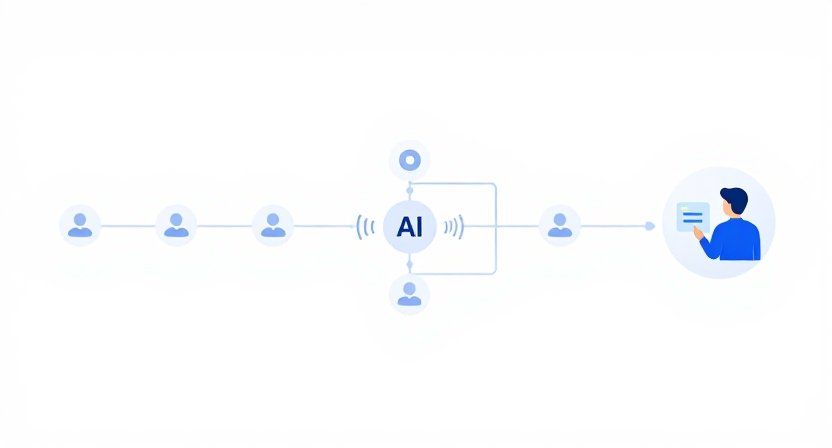
Building an AI lead qualification workflow does more than identify which prospects look promising. It creates a repeatable process for moving new leads from an initial signal to an appropriate sales action without forcing a salesperson to manually review every record.
That distinction matters.
A small business might receive 30 new leads in a week, but those leads rarely deserve the same response. One may be an ideal customer actively evaluating solutions. Another may have downloaded a resource with no buying intent. A third may look like a good fit but lack the budget or authority to move forward.
Without a defined workflow, salespeople often handle all three in roughly the same way.
A better approach is to use AI to organize the evidence, apply predetermined qualification rules, and recommend what should happen next—while keeping a person responsible for important decisions.
This guide shows how to build that workflow step by step.
What an AI Lead Qualification Workflow Actually Does
At its simplest, an AI lead qualification workflow connects five stages:
Lead enters → information is collected → AI evaluates the lead → qualification decision is reviewed → next sales action is triggered.
The AI does not need to make the final sales decision.
Its job can be much narrower and more useful: turn scattered lead information into a consistent recommendation that a salesperson can quickly understand and act on.
For example, imagine a five-person B2B consulting firm.
A new prospect fills out a form saying they have 40 employees, are struggling with manual reporting, and want help improving their operations within the next three months.
The workflow could collect the form response, company information, previous interactions, and relevant CRM activity. AI then summarizes the evidence and compares it against the firm’s qualification criteria.
Instead of simply producing:
Lead score: 82
the system could produce:
Recommended qualification: Sales review
Strong company fit and clear operational problem. Buying timeline appears near term. Budget has not been confirmed.
Reason for review: potential fit, but budget remains unknown.
That is much more useful to a salesperson because it explains the recommendation.
Step 1: Define What “Qualified” Means Before Adding AI
The most common mistake is starting with the AI.
Start with the business decision.
Write down what must be true before a lead deserves sales attention.
For a small B2B company, qualification criteria might include:
- The company fits the target customer profile.
- The problem matches the company’s service or product.
- The prospect has a plausible reason to act.
- The timing is realistic.
- The prospect appears able to purchase.
- Someone involved has enough influence to move the conversation forward.
Not every criterion needs to be satisfied.
Instead, define categories such as:
Sales-ready: strong fit and meaningful buying evidence.
Needs review: promising but missing important information.
Nurture: possible future opportunity but no current buying signal.
Poor fit: outside the company’s target market or problem scope.
This prevents AI from inventing its own definition of a good lead.
A useful rule
If your sales team cannot explain why a lead is qualified without mentioning AI, your qualification system is not ready for automation.
AI should apply the business logic—not create the business logic from scratch.
Step 2: Identify the Information the Workflow Needs
Once qualification criteria are defined, determine what evidence the workflow can actually access.
Useful inputs may include:
- Lead form responses
- Company size
- Industry
- Job title
- Website information
- Stated business problem
- Requested service or product
- Email engagement
- Previous conversations
- Recent sales activity
- Requested timeline
- Existing CRM information
The important question is not:
“What data can we collect?”
It is:
“Which information helps us make a better qualification decision?”
For example, a small software company may discover that job title is less useful than the specific problem described in the lead form.
If the workflow collects 15 fields but only three influence the decision, the extra data adds complexity without improving qualification.
Step 3: Separate Facts From AI Interpretation
This is one of the most important safeguards in an AI qualification workflow.
The system should distinguish between information that is directly known and information that AI has inferred.
For example:
Known:
“Company has approximately 25 employees.”
Known:
“Prospect requested a product demonstration.”
Known:
“Prospect stated that they want to replace their current manual reporting process.”
AI interpretation:
“Lead appears to have a strong operational need.”
AI recommendation:
“Send to sales for review.”
These should not be treated as equivalent.
A salesperson should be able to see the evidence behind the recommendation rather than receiving an unexplained AI judgment.
This becomes especially important when information is incomplete.
If a lead has never mentioned budget, the workflow should say budget unknown, not assume the lead has sufficient budget because the company appears large enough.
Step 4: Give AI a Structured Qualification Task
Avoid asking an AI system to simply:
“Decide whether this lead is good.”
That instruction is too vague.
Instead, give it a structured job.
For example:
Review the available lead information and classify the lead as Sales-ready, Needs review, Nurture, or Poor fit.
Then require the system to provide:
- Qualification category
- Evidence supporting the category
- Missing information
- Potential concern
- Recommended next action
- Confidence level
The exact wording can vary, but the structure matters.
It creates consistency across leads and makes the output easier for a salesperson to evaluate.
Step 5: Add a Human Review Threshold
Not every AI recommendation should trigger the same action.
This is where the workflow becomes safer and more practical.
You can create three levels of handling:
Automatic
Use automation when the action is low-risk and reversible.
For example, a clearly poor-fit lead might be routed into a general nurture sequence rather than assigned immediately to a salesperson.
Human review
Use human review when the evidence is mixed.
For example:
Strong fit + unclear buying timeline = salesperson review.
The AI has done the research, but the salesperson decides what happens next.
Immediate sales action
Use a faster route when multiple strong signals are present.
For example:
Target customer + specific problem + near-term timeline + direct request for conversation = sales review immediately.
The exact thresholds should reflect your business rather than an arbitrary AI-generated score.
Step 6: Decide What Happens After Qualification
A qualification workflow is incomplete if it ends with a label.
Every classification should lead somewhere.
A simple routing model might look like this:
Swipe left to view the full table.
| Qualification | Workflow action |
|---|---|
| Sales-ready | Assign to salesperson and create follow-up task |
| Needs review | Send to sales queue for human assessment |
| Nurture | Add to appropriate educational sequence |
| Poor fit | Suppress from active sales follow-up |
For leads that belong in nurture rather than immediate sales follow-up, a platform such as GetResponse can help automate the next stage of the journey while keeping qualified opportunities separate from longer-term prospects.
This is where AI qualification becomes operationally valuable.
The objective is not to create better labels.
The objective is to reduce the amount of manual sorting required before the next useful action.
Step 7: Build an Exception Path
Real leads do not behave neatly.
A prospect may look like a poor fit based on company size but have a highly relevant problem. Another may appear ideal on paper but explicitly say they are only researching options for next year.
Your workflow needs somewhere for these cases to go.
Create an exception or human-review path for situations such as:
- Conflicting lead information
- Missing critical qualification data
- Unusually high-value opportunities
- Strategic accounts
- Unclear buying intent
- AI confidence below your threshold
- Information that contradicts the normal qualification rules
This is not a failure of automation.
It is a sign that the workflow was designed for reality.
A useful principle is:
Automate the predictable path. Escalate the ambiguous path.
Step 8: Connect the Workflow to the CRM
The CRM should become the operational destination for the qualification decision.
For teams that also need to turn qualification results into internal tasks, ownership, and follow-up workflows, ClickUp can be useful for organizing the work that happens after a lead is qualified or flagged for review.
Depending on the business, the workflow might update:
- Lead status
- Qualification category
- AI-generated summary
- Recommended next action
- Missing information
- Review status
- Assigned salesperson
- Follow-up task
Avoid filling the CRM with long AI-generated paragraphs that nobody reads.
A concise record is usually more useful:
Qualification: Needs review
Reason: Strong fit and clear problem; timeline unclear
Missing: Buying timeframe
Next action: Salesperson to confirm timing
The salesperson should understand the situation in seconds.
Step 9: Test the Workflow With Real Historical Leads
Before allowing AI to influence live sales activity, test the workflow against leads your business already understands.
Take a sample of historical leads and compare:
What the business originally decided
versus
What the new workflow recommends
Look for patterns.
Maybe AI consistently overvalues company size.
Maybe it underestimates leads who arrive through referrals.
Maybe it treats content downloads as stronger buying signals than your sales team does.
These discrepancies are valuable.
They reveal where the workflow’s rules need refinement.
Do not measure success only by whether the AI agrees with the old decisions.
Also examine whether the new process gives salespeople better information and reduces unnecessary manual review.
Step 10: Measure the Workflow, Not Just the AI
A qualification workflow should ultimately be judged by business outcomes.
Useful measurements include:
- Time spent manually reviewing leads
- Percentage of leads routed to sales
- Percentage sent to nurture
- Sales acceptance rate
- Qualified-lead-to-opportunity rate
- Opportunity conversion rate
- Time from lead arrival to sales review
- Number of incorrectly routed leads
- Percentage of AI recommendations requiring correction
For a small team, even a modest improvement can matter.
Suppose two salespeople currently spend five hours each week reviewing incoming leads. If the workflow reduces that to two hours while maintaining or improving the quality of sales opportunities, the value is not theoretical.
The team has recovered six hours of selling capacity every week.
That is the kind of outcome worth optimizing for.
Take the Next Step: Find the Right AI Tools for Your Workflow
Once you know what your workflow needs to accomplish, choosing tools becomes easier. The goal isn’t to collect the most AI tools—it is to find the ones that support the specific work your team needs to automate, organize, or accelerate.
If you’re ready to evaluate practical options, explore BranchNova’s Top 10 Tools for AI Productivity for a focused shortlist to consider as you build your AI-assisted workflows.
What Most Businesses Get Wrong
The temptation is to build a sophisticated workflow immediately.
That is usually backwards.
A better first version may contain only:
Lead form → AI summary → qualification recommendation → human review → CRM update
You can add enrichment, scoring, routing, automated messaging, and additional integrations later.
The first goal should be consistency.
If the workflow cannot reliably answer “Why was this lead routed here?”, adding more automation will generally make the problem harder to diagnose.
Another common mistake is allowing AI to hide uncertainty.
A qualification system should be comfortable saying:
“Insufficient information.”
That answer is often more useful than a confident but unsupported classification.
A Practical Starting Workflow for a Small Business
For a three-to-ten-person company, a sensible first version could look like this:
1. Lead arrives
The prospect completes a form or enters through another defined source.
2. Information is collected
The workflow gathers the available company, contact, problem, and interaction data.
3. AI summarizes the evidence
The system turns scattered information into a short, structured lead brief.
4. AI recommends a qualification category
The recommendation follows the company’s predefined criteria.
5. Exceptions are flagged
Missing or contradictory information goes to human review.
6. CRM is updated
The qualification result and reasoning are recorded.
7. The appropriate next action is created
Sales follow-up, human review, nurture, or no active sales action.
8. Sales feedback is captured
When salespeople disagree with the recommendation, the reason is recorded.
That last step is easy to overlook.
The workflow should learn from business feedback, not simply generate more AI output.
The Real Advantage Is the Decision System
An AI lead qualification workflow is not valuable because AI can read a lead record faster than a person.
Its value comes from making the qualification process more consistent.
Without a system, one salesperson may prioritize company size, another may focus on urgency, and another may respond primarily to job title.
A well-designed workflow gives everyone the same underlying decision framework while preserving human judgment where the evidence is incomplete.
That makes the system easier to improve as the business grows.
And it creates an important boundary: AI handles information processing and recommendation; people remain accountable for consequential sales decisions.
If You Do Nothing Else, Do This
Before automating lead qualification, write down the four outcomes a lead can receive and the evidence required for each one.
Then build the smallest workflow capable of applying those rules consistently.
Do not start by trying to automate your entire sales process.
Start by eliminating the repetitive decision work that your sales team already understands.
Once that works, expand.
BranchNova Summary
Building an AI lead qualification workflow is less about making AI decide which prospects are “good” and more about creating a consistent path from incoming lead to appropriate sales action. The strongest systems start with clear qualification criteria, use AI to organize and interpret available evidence, and keep people involved when information is incomplete or the decision carries meaningful commercial consequences.
For a small business, the best starting point is usually a simple workflow: capture the lead, gather the relevant information, generate a structured AI recommendation, route uncertain cases to a person, and record the final decision in the CRM. From there, the workflow can improve as the team learns which signals actually correlate with qualified opportunities.
The important boundary is judgment. AI can summarize, classify, identify missing information, and recommend the next step. It should not quietly invent facts or turn an uncertain lead into a confident sales decision.
A useful qualification workflow therefore does two things at once: it reduces repetitive review work while making uncertainty easier for the sales team to see.
If you do that well, adding more automation later becomes an operational improvement rather than an attempt to automate a broken sales process.
Discover More Insights
About the Founder
Learn more about our founder, Esa Wroth, and his mission to make AI practical, human-centered, and accessible for entrepreneurs, creators, and professionals.