
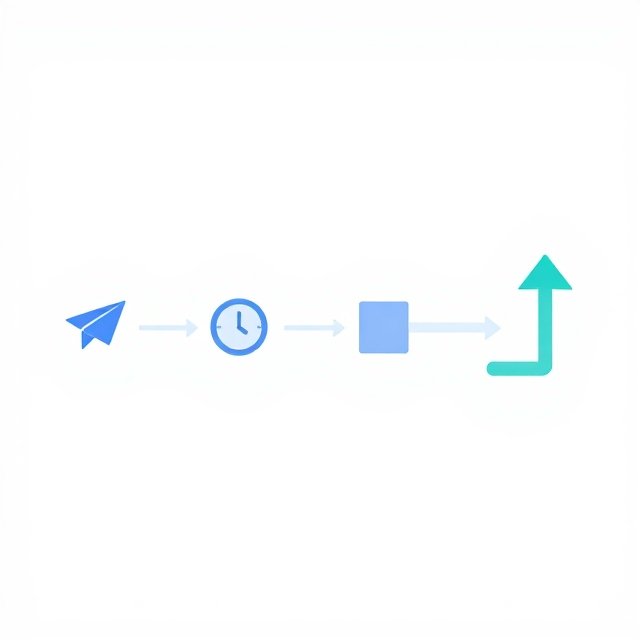
An AI sales follow-up workflow does more than remind a sales team to contact a prospect. It determines whether another message is appropriate, whether the timing makes sense, and whether a conversation should pause or stop.
For a small business, this distinction matters. A prospect who requested a proposal may welcome a follow-up after three business days. Someone who replied that the project is delayed may need a reminder next month. A buyer who explicitly declined should not receive another automated sales pitch tomorrow.
The goal is not to eliminate follow-up. It is to make each next action responsive to what the business actually knows about the buyer.
An AI follow-up system should therefore operate within clear decision rules. It can recommend or initiate the next step when conditions are satisfied, but it should wait when information is incomplete, suppress messages when contact is inappropriate, and escalate conversations that require human judgment.
Why AI Follow-Up Needs Stop Rules, Not Just Schedules
Many sales automation systems begin with a simple sequence: send an initial message, wait a few days, send a reminder, and continue until the prospect responds.
This structure is easy to configure, but it assumes that the passage of time is enough to justify another contact.
In practice, the same delay can mean different things depending on the situation. A prospect may be reviewing a proposal, waiting for budget approval, traveling, or no longer interested. A calendar cannot reliably distinguish these conditions on its own.
Consider a three-person consulting firm that sends proposals to potential clients. Its standard process schedules a follow-up three business days after sending a proposal.
That rule may work when the prospect has not responded and no other information is available. But if the prospect has already replied, “We are reviewing this internally and will decide next month,” the scheduled message may appear inattentive. If the prospect has declined, the same message becomes unnecessary pressure.
The solution is to separate eligibility to follow up from the time to follow up.
- Eligibility determines whether another message is appropriate.
- Timing determines when an eligible message should be sent.
- Message selection determines what the message should accomplish.
- Stop conditions determine when automation must end or pause.
An AI follow-up system becomes more useful when it evaluates these decisions in order instead of treating every scheduled contact as mandatory.
Define the Conditions That Allow a Follow-Up
Before connecting an AI model to an email platform or CRM, define the conditions that make a message permissible.
Start with a small set of rules that the sales team can explain and test. For a small business, the initial framework might include the following.
1. The prospect is eligible for contact.
Check the available contact permissions, opt-out status, suppression lists, and applicable communication requirements. An AI-generated recommendation must never override a valid opt-out or other binding contact restriction.
For U.S. commercial email, follow-up rules should account for applicable opt-out requirements; the Federal Trade Commission’s CAN-SPAM Act compliance guide explains the requirements for honoring recipients’ requests to stop receiving marketing emails.
2. There is a legitimate reason to follow up.
A proposal is awaiting a decision, a prospect requested additional information, or an agreed next step is overdue. A desire to increase message volume is not, by itself, a reason to contact someone.
3. No newer event has changed the situation.
A recent reply, booked meeting, updated opportunity status, or human note may invalidate the scheduled action. The system must check for new information before sending.
4. The timing remains appropriate.
Respect the agreed contact date, business hours, communication cadence, and any stated buyer preference. A delayed response does not automatically justify increasing message frequency.
5. The message can be supported by reliable information.
The system should know which proposal, product, question, or next step the message concerns. If it cannot identify the correct context, it should pause rather than invent one.
These checks should happen before message generation or, at minimum, before delivery. Generating a draft is usually lower risk than sending it, but even drafts should be grounded in the correct customer record.
Build a Decision Path for Send, Wait, Stop, or Escalate
A practical AI follow-up workflow needs more than a binary decision. Use four possible outcomes so the system can respond to uncertainty and changing circumstances.
Swipe left to view the full table.
| Outcome | When to use it | Next action |
|---|---|---|
| Send | Contact is permitted, the next step is justified, and the timing is appropriate | Send an approved message or route it for approval |
| Wait | The buyer requested more time, a decision date is in the future, or the timing is premature | Set a review date or wait for a relevant event |
| Stop | The buyer declined, opted out, or the opportunity is closed | Cancel pending sales follow-ups and apply the appropriate suppression rules |
| Escalate | The message involves ambiguity, a sensitive concern, an unusual request, or a disputed account status | Assign the conversation to a human for review |
This framework helps prevent a common failure: treating uncertainty as permission to send.
For example, imagine a prospect replies, “We cannot move forward at the proposed price.” The system should not automatically interpret this as a request for a discount or send a generic reminder. It should classify the response as a pricing objection and route it for review, unless the business has explicitly approved a suitable response policy.
The decision path should also be deterministic wherever possible. Contact permissions, opt-outs, closed opportunities, and cancellation rules should be enforced by the workflow or CRM, not left to an AI model’s interpretation of a conversation.
AI is better used for interpreting context, summarizing replies, identifying possible intent, and recommending the next appropriate action.
Use Buyer Signals to Change the Follow-Up Plan
A scheduled follow-up should be treated as a proposed action, not an unconditional instruction.
The workflow should evaluate new events that may change the plan. These signals can be divided into three practical groups.
Signals that justify waiting
- The prospect requested a specific date for the next conversation.
- The buyer is waiting for an internal approval or budget decision.
- A meeting is already scheduled to address the open question.
- The prospect has provided a timeline that has not yet arrived.
Signals that justify stopping
- The prospect explicitly declined further sales contact.
- The opportunity is marked closed or disqualified under the business’s rules.
- The prospect has opted out of the relevant communication channel.
- The account has been placed on a valid suppression list.
Signals that require human review
- The buyer expressed frustration or raised a serious service issue.
- The reply contains an ambiguous objection that could change the deal.
- The CRM status conflicts with the latest conversation.
- The AI cannot confidently determine what the buyer meant.
- The proposed response involves an unapproved concession, commitment, or claim.
A signal does not have to be a sophisticated prediction. A simple statement such as “Please contact me after November 10” can be more useful than an inferred buying-intent score because it provides an explicit next step.
The important design choice is to give reliable, direct buyer instructions more authority than probabilistic AI classifications.
Prevent Duplicate Messages and Stale Follow-Ups
Even a well-designed decision framework can fail if the workflow does not manage state correctly.
Suppose a prospect replies to a salesperson’s email at 10:00 a.m., but an automation job is already scheduled to send a reminder at 10:05 a.m. If the workflow checks the CRM only when the reminder is first scheduled, it may send the message despite the new reply.
To prevent this, recheck the relevant record immediately before delivery. The workflow should verify that the message is still eligible, the opportunity has not changed, and another process has not already sent or canceled the same follow-up.
For each planned action, maintain a small record of:
- The prospect and opportunity involved.
- The reason for the follow-up.
- The condition that makes it eligible.
- The next review or send time.
- The current status: pending, approved, sent, paused, canceled, or escalated.
- The event or person responsible for the latest status change.
Use unique action identifiers or equivalent safeguards to reduce duplicate sends when a workflow retries after an error. Record the outcome so that a failed job does not silently create a second message later.
This is especially important for small teams using multiple tools. A CRM, shared inbox, and email automation platform may each hold part of the conversation history. If the system cannot access a reliable source of truth, it should pause uncertain actions instead of assuming that no reply occurred.
Keep Human Judgment Where It Matters
Automation should remove repetitive checking, not transfer every sales decision to a model.
A small sales team can usually automate straightforward cases: a proposal has been delivered, no reply has arrived, the agreed follow-up period has passed, and no contact restriction or new event has appeared.
More consequential cases need a different path. A buyer asking for a revised contract, disputing a claim, negotiating a substantial discount, or raising a complaint may require context and authority that an AI assistant does not possess.
Define escalation rules before launch. Specify which cases the AI can handle independently, which messages need approval, and which events must stop the workflow entirely.
If the system generates a recommendation, show the salesperson the evidence behind it: the latest reply, the relevant CRM status, the proposed next step, and the reason for waiting or escalating. A recommendation without its underlying context is difficult to review and easy to misinterpret.
Human review should also have a clear owner and a response expectation. Otherwise, an escalation queue can become another place where leads sit untouched. If a message is waiting for approval, the system should not keep sending reminders simply because the original schedule remains active.
Measure Appropriate Follow-Up, Not Just Message Volume
A high send count can make an automation project look productive without demonstrating that it helps buyers or sales teams.
Track measures that reveal whether the system is making better decisions.
- Inappropriate-send rate: How often does a message go out despite a known reason to wait or stop?
- Duplicate-send rate: How often does a prospect receive the same or substantially equivalent follow-up more than once?
- Suppression accuracy: Are valid opt-outs, declines, and closed opportunities correctly excluded from future sales contact?
- Human override rate: How often do salespeople reject, change, or cancel the AI’s recommended action?
- Follow-up completion time: How long does it take for eligible, approved follow-ups to be handled?
- Qualified progression: Do appropriate follow-ups help move suitable opportunities toward a meaningful next step?
Establish a baseline before deployment and review the results after a defined pilot period. Segment the findings by lead source, deal type, or workflow where practical.
Do not assume that a high human override rate automatically means the AI is failing. Early overrides may reveal unclear rules, missing CRM data, or an escalation policy that is too broad. Investigate the reasons before changing the model or relaxing the safeguards.
Likewise, a low override rate is not proof of quality if employees rarely review the decisions. Pair operational metrics with sample audits of sent, suppressed, and escalated actions.
Build a More Useful AI Workflow
A follow-up system is only as reliable as the process surrounding it. If your team is still deciding who owns each step, how approvals work, and where the latest customer information lives, document those responsibilities before adding more automation.
BranchNova’s Top 10 Tools for AI Productivity can help you explore tools that support a more organized, practical AI workflow. Choose tools based on the actual bottleneck in your process rather than adding software simply because it offers AI features.
A Practical Rollout Plan for a Small Sales Team
Start with one follow-up scenario, such as proposals awaiting a response. Avoid automating every lead type and communication channel at once.
- Document the current process. Record the trigger, waiting period, message purpose, exceptions, and person responsible for each step.
- Define hard stops. Identify opt-outs, explicit declines, closed opportunities, and other conditions that must prevent sending.
- Add the decision outcomes. Configure send, wait, stop, and escalate paths, with clear ownership for exceptions.
- Test against historical scenarios. Include ordinary follow-ups, late replies, changed deal statuses, duplicate events, and ambiguous messages. Verify the expected outcome for each case.
- Run in draft or approval mode. Let the system recommend actions without automatically sending them while the team checks its decisions.
- Launch with a limited scope. Enable sending only for the cases that consistently meet the agreed criteria.
- Review errors and overrides. Adjust rules, data quality, and escalation paths based on observed failures rather than assumptions.
Before expanding, confirm that the system can reliably detect new replies, honor contact restrictions, cancel outdated actions, and recover safely from errors. If those basics are not dependable, a larger automation sequence will multiply the problem rather than solve it.
BranchNova Summary
An effective AI follow-up system knows that the next message is not always the right message. Its value comes from applying clear contact rules, recognizing meaningful buyer signals, checking for new events, and routing uncertain situations to a person.
Start with a narrow workflow and four explicit outcomes: send, wait, stop, or escalate. Keep hard restrictions outside the model’s discretion, recheck customer records before delivery, and measure inappropriate sends alongside useful sales outcomes.
For a small business, the best first improvement may be fewer messages, better-timed conversations, and less manual checking—not a larger volume of automated outreach. Expand only after the system demonstrates that it can respect buyer intent and handle exceptions reliably.
Discover More Insights
About the Founder
Learn more about our founder, Esa Wroth, and his mission to make AI practical, human-centered, and accessible for entrepreneurs, creators, and professionals.