
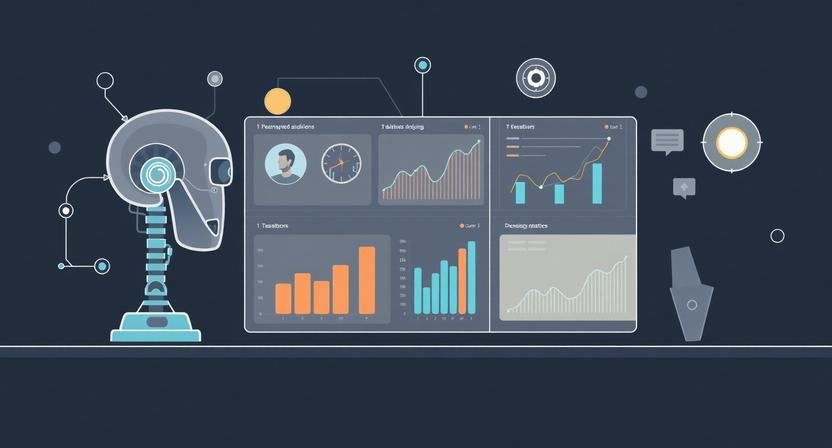
Automating reports and analytics with AI doesn’t fail because founders lack data.
It fails because reporting eats time, creates doubt, and still doesn’t drive decisions.
AI can automate reports and analytics—but only if you’re clear on what AI should summarize, what it should never invent, and where humans still verify the signal.
This guide shows how automation actually works in practice for real teams—not demo dashboards.
The Real Problem with “Automated Analytics”
Before tools, let’s name the friction most tutorials skip:
- Reports are manually rebuilt every week
- KPIs drift because definitions change quietly
- Dashboards exist, but no one trusts them
- AI summaries sound confident—even when wrong
Automation doesn’t fail because AI is weak.
It fails because teams automate interpretation before reliability.
The Only AI Reporting Stack That Scales
Here’s the model that works across solo founders, small teams, and agencies:
1. Lock the Data Source (Non-Negotiable)
AI should never be the source of truth.
This distinction matters because even Google emphasizes that automated insights should support—not replace—human judgment in analytics interpretation, especially when data quality or context is incomplete. According to Google’s guidance on analytics best practices, summaries and insights are only reliable when the underlying data definitions and tracking are consistently maintained. (Source: Google Analytics Help – Analytics best practices)
Good sources:
- Google Sheets (financials, ops metrics)
- Airtable (CRM, pipeline tracking)
- BI tools (Looker, Metabase, Power BI)
AI’s role:
Read, summarize, flag anomalies—not calculate core metrics.
If AI touches raw math without validation, trust dies fast.
2. Define “Decision-Grade” Metrics Only
Most teams track too much.
Instead, define:
- 5–7 KPIs that actually trigger decisions
- Clear formulas written in plain English
- Owners per metric
Example (3–10 person SaaS team):
- Weekly MRR change
- Trial → paid conversion
- Support tickets per active user
- Infrastructure cost per customer
If a metric doesn’t cause action, don’t automate it.
3. Use AI for Compression, Not Creation
This is where AI shines.
AI should:
- Summarize weekly performance
- Compare against last period
- Highlight anomalies and deltas
- Translate numbers into plain language
AI should not:
- Guess causes
- Forecast without historical context
- “Optimize” without constraints
Prompt pattern that works:
“Summarize changes only. Flag anomalies above ±15%. Do not speculate on causes.”
Most people forget this—and get confident nonsense instead.
A Practical Automation Workflow (That Doesn’t Break)
Scenario: 5-Person Agency, Weekly Client Reporting
Stack:
- Google Sheets (client metrics)
- BI dashboard (traffic, leads)
- AI layer (summary + commentary)
- Notion or email output
Workflow:
- Data updates automatically (daily)
- AI runs read-only analysis
- Output is a draft summary
- Human reviews once
- Report sends automatically
To streamline this review process and keep AI-generated summaries organized, Gamma provides a centralized workspace where teams can track draft reports, assign review tasks, and ensure the right stakeholders see each analysis before it goes out. Solo founders and small teams can maintain oversight without adding complexity, saving hours while keeping trust intact.
Time saved: ~3–5 hours/week
Failure rate: Near zero (because humans stay in the loop)
Where AI Reporting Breaks (And How to Prevent It)
❌ Hallucinated Insights
Fix: Force AI to cite data rows or refuse output.
❌ KPI Drift Over Time
Fix: Store metric definitions alongside the data.
❌ Over-Automation
Fix: Keep final approval human until trust is earned.
❌ Executive Distrust
Fix: Short summaries > flashy dashboards.
Solo Founder vs Team: Different Automation Thresholds
Solo Founder
- Automate summaries first
- Review everything manually
- Use AI as a thinking partner
3–10 Person Team
- Automate delivery + summaries
- Manual review only for anomalies
Scaling Org
- AI flags issues
- Humans investigate causes
- BI owns truth, AI owns clarity
What Most Tutorials Never Tell You
- AI analytics increase risk before they reduce it
- Trust is the real bottleneck—not tooling
- Automation without metric clarity creates false confidence
- The best systems grow gradually, not instantly
If you rush full automation, you’ll spend months rebuilding credibility.
If You Do Nothing Else, Do This
Automate weekly summaries, not full dashboards.
Dashboards inform.
Summaries drive decisions.
AI is better at explaining what changed than deciding what to do.
BranchNova Summary
Automating reports and analytics with AI works when:
- Data sources stay human-defined
- Metrics are decision-grade
- AI compresses information, not invents it
- Humans remain in the loop until trust is earned
The goal isn’t speed—it’s reliable clarity at scale.
Discover More Insights
About the Founder
Learn more about our founder, Esa Wroth, and his mission to make AI practical, human-centered, and accessible for entrepreneurs, creators, and professionals.