
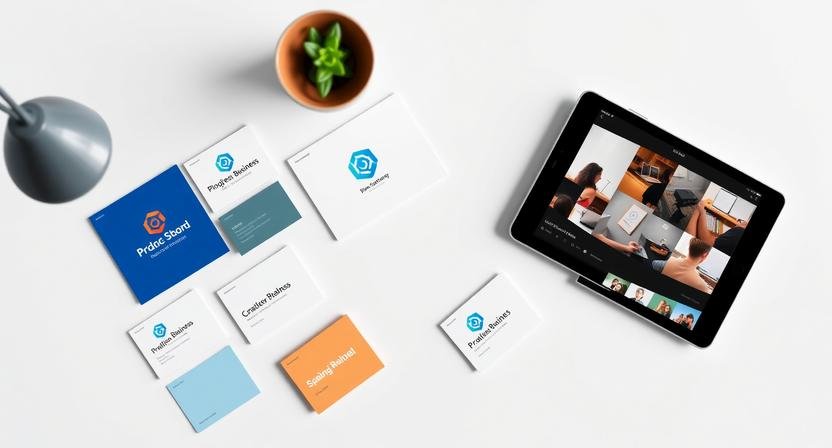
AI Image Generation for Branding can dramatically reduce the cost and time of creating consistent brand visuals—but only if it’s applied within a structured branding system, not as a creativity shortcut. Most entrepreneurs experiment with AI tools and end up with visuals that look impressive individually but inconsistent across platforms. The issue isn’t image quality; it’s repeatability, constraints, and clarity in brand execution.
Step 1: Define Your Brand Visual System Before Using AI
AI cannot invent brand clarity. It can only amplify what already exists.
Before generating images, you need four locked decisions:
- Brand tone: minimal, bold, playful, technical, premium, etc.
- Color direction: 2–4 core colors you will reuse everywhere
- Visual style: illustration, cinematic photography, abstract, flat design
- Usage context: where the image will live (homepage, blog, social, ads)
What most people get wrong: they skip this step and let the AI “decide.”
What breaks: visuals look disconnected across pages and platforms.
If you do nothing else, write a one-paragraph brand visual brief and treat it as a constraint, not inspiration.
Step 2: Choose AI Image Tools for Branding, Not Art
Some image generators excel at creativity but fail at consistency. For branding, consistency matters more than novelty.
AI image generation works best for:
- Website headers and section visuals
- Blog and newsletter imagery
- Social media graphics
- Concept visuals and mockups
Where it performs poorly:
- Logo creation
- Trademarked brand assets
- Highly specific product photography
Think of AI as a brand support layer, not a replacement for professional design where precision is required.
Step 3: Use a Reusable Brand Prompt Framework
Random prompts create random outputs. Branding requires systems.
Use this prompt structure consistently:
- Subject (what the image shows)
- Brand tone and aesthetic
- Color direction
- Composition and framing
- Usage context
Example
A modern workspace with a solo SaaS founder at a laptop, clean and minimal style, neutral tones with soft blue accents, natural lighting, wide composition, designed for a homepage hero section.
Save prompts that perform well. Over time, these become brand assets, not experiments.
Step 4: Generate Images in Controlled Batches
Branding doesn’t come from one perfect image. It comes from sets.
Instead of generating one image:
- Generate 5–10 variations
- Keep lighting, framing, and style consistent
- Change only one variable at a time
This gives you:
- Visual continuity across content
- Backup options for campaigns
- Faster future asset creation
Most tutorials miss this: batch generation reduces future workload more than any tool upgrade.
To streamline batch generation and manage prompts efficiently, Gamma provides a workspace where teams can track image versions, organize prompt libraries, and ensure assets are applied consistently across channels. Solo founders and small teams can maintain brand continuity without juggling multiple tools, keeping style, tone, and color alignment intact.
Step 5: Evaluate Images Like a Brand Manager
Before using an image, ask:
- Does this reinforce our brand or distract from it?
- Would this feel out of place on our homepage?
- Does it support the message, or compete with it?
If an image is visually striking but doesn’t strengthen brand recognition, discard it. AI makes abundance cheap; judgment is what protects the brand.
Step 6: Adapt Images for Real Business Use
AI images are rarely final outputs. For grounded, institutional guidance on using AI-generated media responsibly and in alignment with established brand standards, consult these AI media usage guidelines from the University of Alabama Strategic Communications office.
Typical post-processing includes:
- Cropping for different platforms
- Adding text overlays in a design tool
- Adjusting contrast for readability
- Optimizing file size for performance
The most reliable workflow is AI for generation + human refinement. Fully automated branding almost always degrades quality over time.
Want to Go Further?
If you want to scale this approach across content, marketing, and design without adding manual workload:
👉 Explore our curated guide to the Top 10 Tools for AI Productivity
Step 7: Know Where This Workflow Breaks
This approach works best when your brand positioning is already stable.
This breaks when:
- You are still pivoting weekly
- Your audience or offer is unclear
- Multiple team members generate images without shared prompts
For example, a solo SaaS founder using AI images for blog headers and landing pages can maintain consistency easily. A 5–10 person team without a shared prompt library will quickly drift into visual chaos.
AI amplifies structure—or the lack of it.
Common Branding Mistakes With AI Images
- Chasing trends instead of consistency
- Changing visual styles too frequently
- Over-prompting instead of refining
- Using AI images where real photography is required
AI rewards clarity, repetition, and constraints—not constant novelty.
Simple Takeaway
If you treat AI image generation as a branding system, it saves time and money.
If you treat it as a creativity shortcut, it weakens your brand.
If you do nothing else: create one reusable brand prompt and use it everywhere.
BranchNova Summary
AI image generation can support branding, but only when it operates inside a clearly defined visual system. Without brand constraints, AI produces inconsistency at scale.
The most effective approach starts with locking brand tone, color direction, and usage context before generating any images. Reusable prompt frameworks and batch generation create repeatable assets instead of one-off visuals.
This workflow works best for entrepreneurs and small teams with stable positioning. When brand decisions are still fluid, AI tends to amplify confusion rather than clarity.
Used correctly, AI image generation becomes a leverage tool for consistent branding—not a replacement for brand strategy or design judgment.
Discover More Insights
About the Founder
Learn more about our founder, Esa Wroth, and his mission to make AI practical, human-centered, and accessible for entrepreneurs, creators, and professionals.