
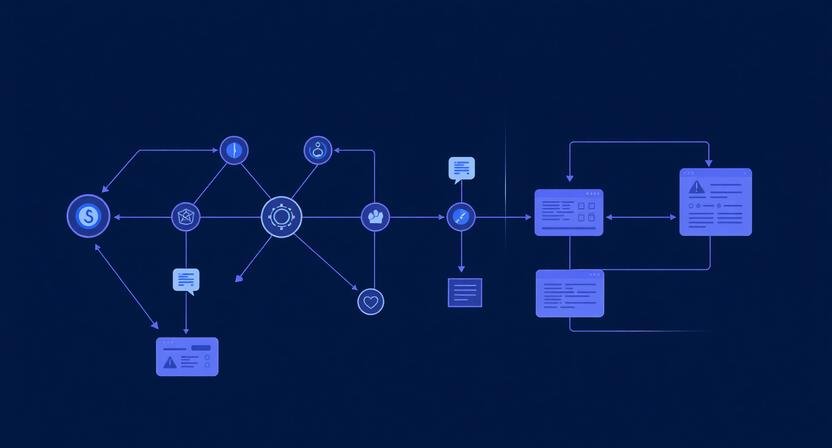
Automating project management with AI sounds like a tooling problem — but most teams don’t struggle because of a lack of tools. They struggle because execution gets fragmented across people, platforms, and priorities.
AI doesn’t fix that automatically. In many cases, it actually adds more noise if implemented incorrectly.
What does work is using AI to remove coordination friction — the invisible work of updating tasks, tracking progress, summarizing context, and nudging execution forward.
This guide walks through how to actually automate project management in a way that holds up beyond a demo or a single team.
What “AI Project Management Automation” Actually Means
At a practical level, automation isn’t about replacing your project manager.
It’s about removing three recurring bottlenecks:
- Manual task updates
- Status visibility gaps
- Communication overhead
A 5-person agency and a 20-person SaaS team both hit this wall — just at different levels of complexity.
Example (3–10 person marketing team):
- Tasks live in Notion
- Communication happens in Slack
- Deadlines slip because updates are manual
AI automation connects these layers so the system updates itself without constant human input.
Step 1: Identify High-Friction Tasks (Don’t Automate Everything)
This is where most tutorials fail — they jump straight into tools.
Automation only works if you target repeatable friction.
Start with:
- Tasks that are updated daily or weekly
- Processes involving 2+ tools
- Work that requires status reporting
Micro-case (solo founder):
If you’re manually summarizing weekly progress from tasks into a client update email — that’s a prime automation candidate.
What breaks if you skip this step:
You end up automating low-impact tasks while core bottlenecks remain untouched.
Step 2: Define a “Source of Truth” System
Before layering AI, you need one central system.
This is where many setups quietly fail.
Common options:
- Notion (flexible, good for startups)
- Asana (structured team workflows)
- ClickUp (high customization, but complexity risk)
Constraint to understand:
AI doesn’t fix bad structure. If your task system is messy, automation amplifies the chaos.
Rule:
Every task must have:
- Owner
- Status
- Deadline
- Context
No exceptions.
Step 3: Build Trigger-Based Automation (The Core Layer)
Now you introduce AI — not as a tool, but as a workflow layer.
Use platforms like:
- Zapier
- Make (Integromat)
- Native integrations (Notion AI, Asana AI)
Example Workflow (Agency Team)
Trigger: Task marked “Completed” in Asana
Automation:
- AI summarizes task outcome
- Updates project dashboard
- Sends Slack update to team
- Logs progress in weekly report
This removes 4 manual steps from every task.
Next Step
If you’re building a full AI-powered workflow stack, the tools you choose matter less than how you connect them — but the right stack makes execution significantly easier.
Explore the systems that actually support scalable automation:
→ Top 10 Tools for AI Productivity
Why this works:
It compounds across dozens of tasks per week.
What most people miss:
The value isn’t speed — it’s consistency of execution.
Step 4: Add AI for Context, Not Just Actions
Basic automation moves data.
AI adds meaning.
Use AI to:
- Summarize task threads
- Generate project updates
- Highlight blockers
- Predict delays based on patterns
Example (SaaS product team):
Instead of:
“Task overdue”
AI-generated insight:
“Task delayed 3 times due to unclear requirements — similar pattern seen in last sprint.”
That’s operational intelligence — not just automation.
Step 5: Automate Communication Loops
This is where teams recover the most time.
Most project inefficiency comes from:
- Status meetings
- Follow-ups
- Clarifications
Replace with:
- Daily AI-generated summaries
- Weekly automated reports
- Slack updates triggered by changes
Micro-case (remote team):
A distributed team across 3 time zones replaced daily standups with AI summaries pulled from task updates.
Result:
- 5–7 hours saved per week
- Fewer context gaps
Tradeoff:
Less real-time discussion — which matters for creative work.
Step 6: Introduce Guardrails (Critical for Scaling)
Automation without constraints creates silent failures.
Add:
- Approval checkpoints for critical tasks
- Error alerts when workflows fail
- Manual override options
What breaks without this:
- Tasks get marked complete incorrectly
- AI summaries misrepresent progress
- Teams lose trust in the system
Once trust is gone, adoption collapses.
Step 7: Test with One Team Before Scaling
Do not roll this out company-wide immediately.
Start with:
- One team
- One workflow
- One measurable outcome
Track:
- Time saved
- Errors reduced
- Adoption rate
Example:
A 6-person content team automated publishing workflows before expanding to marketing ops.
Why this matters:
Different teams have different tolerance for automation.
Common Mistakes That Kill AI Project Automation
1. Over-automation too early
Teams try to automate everything → system becomes unmanageable
2. Ignoring human behavior
People don’t update tasks → automation fails silently
3. Tool stacking without strategy
Adding AI tools without workflow clarity → fragmentation increases
4. No feedback loop
Automation runs, but no one checks output quality
When AI Project Automation Doesn’t Work
It tends to fail in:
- Highly creative workflows (strategy, ideation)
- Teams without clear processes
- Organizations with poor documentation habits
AI needs structure to perform well.
No structure = no leverage.
If You Do Nothing Else, Do This
Pick one recurring task:
- Weekly reporting
- Task updates
- Client communication
Automate that fully.
Measure the result.
Then expand.
That’s how real systems scale — not through all-at-once implementation.
BranchNova Summary
Automating project management with AI isn’t about replacing coordination — it’s about eliminating repetitive execution friction.
The teams that see real results focus on:
- High-friction tasks first
- Structured systems before automation
- AI for context, not just actions
Done right, this doesn’t just save time — it creates operational clarity that compounds as teams grow.
Discover More Insights
About the Founder
Learn more about our founder, Esa Wroth, and his mission to make AI practical, human-centered, and accessible for entrepreneurs, creators, and professionals.