
Scaling AI Workflows for Multi-Team Operations isn’t failing because the tools are weak.
Most teams don’t fail at using AI because the tools are weak.
They fail because each team starts building its own version of “AI productivity,” and within a few weeks, operations turn into fragmented workflows that don’t talk to each other.
Marketing uses one set of prompts. Ops builds their own automation stack. Sales experiments with different AI tools. Nobody standardizes anything.
It feels productive—until execution slows down instead of speeding up.
Scaling AI across teams isn’t about adding more tools. It’s about building a shared operating system that keeps outputs consistent while still allowing each team flexibility where it matters.
Why AI Breaks at the Multi-Team Level
AI works cleanly in isolation.
A single marketer can use ChatGPT or Claude to generate content, refine messaging, and automate research without much friction.
But once you scale to multiple teams (5–50+ people), three predictable breakdowns appear:
- Duplicate systems: Each team rebuilds similar workflows with slight variations
- Context loss: Prompts and processes don’t carry across departments
- Inconsistent outputs: Brand voice, decisions, and data interpretation drift
A 7-person startup might not notice this immediately. A 30-person company feels it every week in rework, misalignment, and “why did we do it this way?” conversations.
The Core Fix: Build a Shared AI Workflow Layer
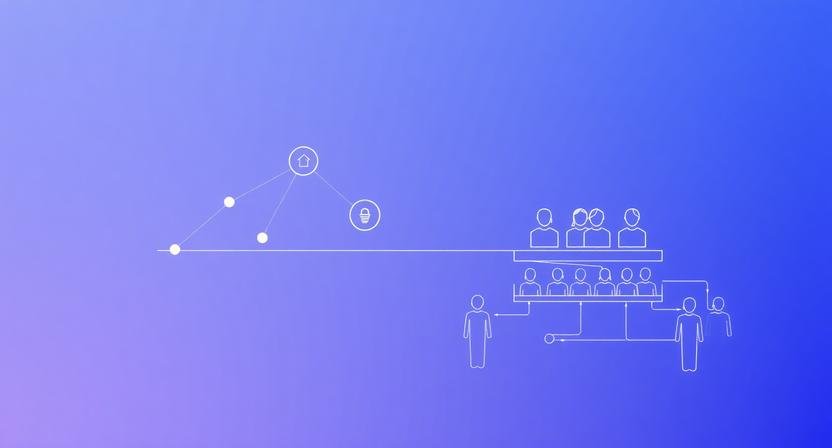
Instead of treating AI as a tool per team, treat it as a shared infrastructure layer.
Think of it like this:
- Teams = execution units
- AI tools = surface layer
- Workflow system = operating backbone
Without the backbone, everything becomes improvisation.
Explore the BranchNova Top 10 AI Productivity Tools to start building a scalable workflow system across teams without fragmentation.
A working model looks like this:
1. Centralized Prompt & Workflow Library
Not a “prompt doc.” A structured system.
Example structure:
- Sales prompts (qualification, objections, outreach)
- Marketing prompts (content, SEO briefs, repurposing)
- Ops prompts (reporting, summaries, SOP generation)
Each entry includes:
- Input requirements
- Expected output format
- Use case boundary (when NOT to use it)
A 12-person agency using this reduces rework because nobody is reinventing tone, structure, or logic every week.
2. Role-Based AI Permissions (Critical but ignored)
Most teams give everyone access to everything.
That’s where drift starts.
Instead, define:
- Creators → generate AI outputs
- Editors → refine and approve AI outputs
- Architects → design workflows and prompts
- Governors → ensure consistency across teams
A 5-person startup might combine roles. A 30-person team cannot.
Without role separation, you get prompt chaos disguised as productivity.
3. Workflow Standardization (Not Tool Standardization)
The mistake: forcing everyone onto the same AI tool stack.
The fix: standardizing workflow logic.
Example:
Marketing team can use:
- ChatGPT
- Claude
- Notion AI
But the workflow stays identical:
- Brief ingestion
- AI draft generation
- Human refinement
- QA checklist
- Publishing format
Tools can vary. Workflow structure cannot.
What This Looks Like in Practice (Real Scenario)
A 15-person SaaS company scaling content + outbound:
Before:
- 4 different prompt styles for writing emails
- Sales team writes manually, marketing uses AI
- No shared messaging structure
- Weekly rework cycles between teams
After implementing shared AI workflow layer:
- 1 standardized outbound prompt system
- Unified brand voice templates
- Sales + marketing aligned messaging inputs
- 40–60% reduction in content revision cycles
The biggest gain wasn’t speed—it was reduced friction between teams.
Where This Approach Breaks (Important Reality Check)
This system is not plug-and-play.
It tends to fail when:
- Leadership treats it as “just documentation”
- No one owns workflow governance
- Teams are allowed unlimited prompt experimentation in production
- There is no feedback loop from outputs → system updates
Without enforcement, it slowly decays back into chaos.
The biggest misconception is thinking AI standardization removes creativity.
It doesn’t.
It removes inconsistency—not exploration.
Implementation Framework: The 3-Layer AI System
If you’re building this from scratch, structure it in layers:
Layer 1: Foundation (Week 1–2)
- Identify top 10 recurring workflows
- Document “gold standard” prompts
- Define output formats
Layer 2: Systemization (Week 3–4)
- Assign roles (creator/editor/architect)
- Create shared prompt library
- Introduce QA checklist for outputs
Layer 3: Optimization (Ongoing)
- Track output quality drift
- Remove redundant workflows
- Refine prompts based on real usage
Most teams skip straight to Layer 3 tools and never stabilize Layer 1.
That’s why scaling fails.
If You Do Nothing Else
Standardize one high-frequency workflow across all teams (usually content, sales outreach, or reporting).
If that single workflow becomes consistent, everything else becomes easier to align later.
Discover More Insights
- AI Collaboration Automation for Remote Teams (That Actually Works)
- AI Workflow Audits: How to Fix Fragile Automation
- Automate Lead Scoring and Qualification with AI
BranchNova Summary
Scaling AI across teams is not a tooling problem—it’s an operating system problem. Once teams exceed 10–15 people, inconsistent prompts, workflows, and decision logic create hidden friction that slows execution more than manual work ever did. The solution is not standardizing tools but standardizing workflow architecture, role permissions, and output structures while allowing flexibility at the tool layer.